Subscribe For Free Updates!

We'll not spam mate! We promise.


Showing posts with label review. Show all posts

Comparision about s5 vs m8

For smartphone fans around the world, things really started to get interesting over the past couple of months. First, Samsung unveiled its new Galaxy S5 flagship smartphone in late February, revealing a smartphone that was quite impressive and touted a number of great new features, but failed to live up to the hype stirred up by dozens of rumors. Then, HTC unveiled its own flagship phone, the HTC One (M8), and launched it the very same day.
We called HTC’s new handset the best Android phone on the planet when we published our in-depth HTC One (M8) review. But now HTC’s flagship handset finally has some serious competition in the Galaxy S5.
The new M8 and Samsung’s Galaxy S5 went on sale within weeks of each other and there is little question that these two smartphones are the best all-around Android phones in the world at the moment. But when it comes to wearing the crown, there can be only one.
So, which next-generation flagship smartphone is the best in the business right now?
Last year, BGR took a long hard look at both the Galaxy S4 and HTC One after having used both devices for several months. The goal at that time was to determine which flagship handset was the best Android phone in the world.
In some ways, it was a close call and the Galaxy S4 clearly bests the One in several areas, not the least of which is the phone’s incredible display. But when all was said and done, the HTC One was the better phone. It looked better, it felt better, and performance in most scenarios was on par with the S4.
In 2014, HTC improved on last year’s One in every way imaginable.
I published my in-depth HTC One (M8) review last month and I made it quite clear how impressed I was with HTC’s latest effort. 2014 is shaping up to be another boring year for smartphone lovers, but the M8 managed to stir up some real excitement.
Meanwhile, Samsung’s Galaxy S5 is hardly a slouch. The handset is also better than its predecessor in every way, with a bigger display, upgraded internals and several new features that look to add real value and address serious pain points shared by smartphone users across the globe.
Pitting these two great smartphones against each other and picking a winner was no easy task.
BGR-Galaxy-S5-Best
In some key areas, these two flagship Android phones are pretty evenly matched. I found battery life to be comparable, for example, with both handsets lasting beyond a full day with each charge. What’s more, both the S5 and M8 feature enhanced battery-saving modes that can extend battery life by several hours in a pinch.
The HTC One (M8) and Galaxy S5 are also pretty evenly matched when it comes to performance.
In most areas of the user experience, there is no discernible difference between these two phones in terms of zipping around through apps and multitasking. On paper, however, the S5′s Snapdragon processor is clocked at 2.5GHz with the M8′s is clocked at 2.3GHz in most regions.
As a result, the AT&T version of Samsung’s Galaxy S5 that I tested scored an average of 34,914 on the AnTuTu benchmark X test. HTC’s M8 scored 33,632 on the same test.
There are other ways that the new One and the Galaxy S5 are comparable. For example, the Galaxy S5 is water-resistant and can survive a dunk in up to 3 feet of water. While HTC doesn’t like the One (M8) as being water-resistant, a recent test on captured on video suggests that the M8 can be submerged for several minutes and still work fine.
Of course there are also many areas where one of these two phones clearly outclasses the other.
3-BGR-HTC-One-M8-top
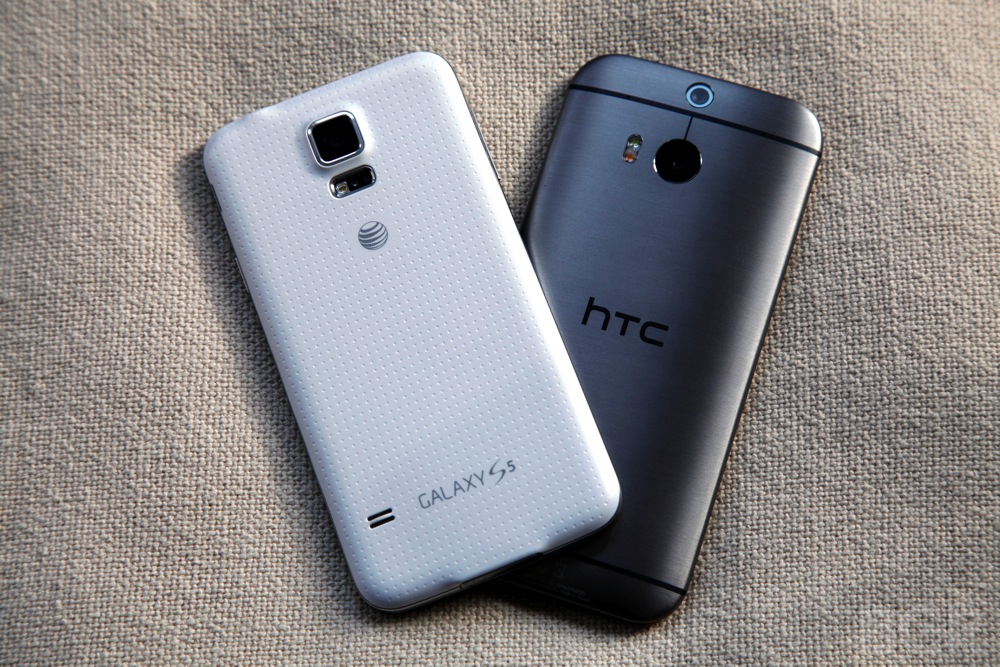
Starting with the user experience on the outside of the devices and then moving inward, there’s really no reason to discuss the design, build or materials that make up these phones for very long. They aren’t just in different leagues, they’re playing different sports.
The HTC One (M8) is the most gorgeous smartphone I have seen to date. The metal housing is sleek and ergonomic, the design is phenomenal and the fit and finish are unmatched.
Meanwhile, the back of the Galaxy S5 is tacky plastic and the design isn’t much different from most slab-style smartphones on the market.
Around front is where the Galaxy S5 shines, both literally and figuratively.
The display on the Galaxy S5 is, in a word, stunning. We have come to expect the best from Samsung when it comes to screens but somehow, time and time again, the company surprises us.
Such is the case with the Galaxy S5, which includes a display that found a way to top the Galaxy Note 3. The Note 3 screen, you might recall, had previously been the best smartphone display we had ever seen.
Pitch black blacks, insanely vibrant colors and class-leading contrast make the viewing experience on the Galaxy S5 sublime. Samsung truly did an amazing job with this AMOLED panel. The HTC One (M8) display is stunning as well, but it’s certainly no match for the S5.
What lies beneath those display panels is a different story.
BGR-htc-one-m8-vs-galaxy-s5-3
Samsung and HTC have both put a tremendous amount of time and resources into the software that powers their phones. Both devices run KitKat, the latest version of Android, but the software has been heavily modified with new interfaces, apps and services.
Beginning with Sense 6 on the HTC One (M8), HTC focused on simplifying its software on the new One. It also made the software’s appearance much flatter and used various bright colors to distinguish one stock HTC app from the next.
The TouchWiz interface on the Galaxy S5 has also undergone some changes, though it resembles the previous version of Samsung’s software much more closely than Sense 6 resembles earlier builds. Recent reports suggest that Samsung is working on a bigger redesign, but there’s no telling if or when we might see it.
Both updated Android versions feature great new functionality and they also improve upon old features. But Samsung’s handset definitely outshines the HTC One (M8) when it comes to a few key intersections of hardware and software.
First off, the Galaxy S5 captures better quality photos than the M8. Forget that the S5 camera is a 16-megapixel unit and the M8′s Duo Camera captures 4-megapixel photos — pictures taken with the Galaxy S5 are more clear and have better color reproduction.
The effects enabled by the depth data HTC’s Duo Camera collects are great, but the image quality simply can’t compare to Samsung’s new camera.
Another area where the S5 has a clear leg up on the One (M8) is fitness. While the M8 does include a simple step-tracking feature with Fitbit preinstalled, Samsung’s S5 has a built-in heart rate monitor and Samsung’s own S Health software.
Finally, Samsung’s Galaxy S5 includes a fingerprint scanner in the home button for added security, while HTC actually went the other direction, having ditched print reader on its last One-branded phone, the HTC One Max.
Fingerprint readers are hardly a necessity and there are some security implications for the more paranoid among us, but Samsung’s scanner works very well — just as well as Touch ID on the iPhone 5s, in my experience.
BGR-htc-one-m8-vs-galaxy-s5-2
In many areas, the HTC One (M8) and Samsung Galaxy S5 are pretty evenly matched. In some areas, they are not.
Samsung’s latest smartphone clearly has the edge when it comes to camera quality and fitness functionality, and the new Super AMOLED HD display is absolutely amazing.
Meanwhile, the design and materials on the HTC One (M8) outclasses the S5 by a mile.
So in the end, the same deciding factors that tipped the scales in HTC’s favor last year have again made the Taiwan-based company’s flagship phone the best Android phone in the world this year.
The simple fact is that these two handsets are very evenly matched, but the gaps in areas where the M8 has the edge are much wider than they are in areas where the Galaxy S5 has the edge.
Samsung’s display on the S5 is phenomenal, but the HTC One (M8)’s LCD 3 screen is pretty impressive as well. Samsung’s display is clearly better, but but the margin by which it is better is actually pretty narrow.
The Galaxy S5′s fitness features are better than the M8′s as well, but there’s nothing remarkable that the S5 does and the M8 cannot do. The camera on the Galaxy S5 is also better, but many people have seen good results with the M8′s camera.
HTC and Samsung’s software is somewhat evenly matched as well. Both custom Android builds offer some great and unique features, and both have fantastic new extreme battery saving modes that I love. I will say, though, that the look of Sense 6 is far more sleek, modern and sophisticated than TouchWiz.
When it comes to design and materials, there is no wider gap than the one that exists between the HTC One (M8) and Samsung’s Galaxy S5.
In a way, it’s as if Samsung approached the S5 like it would a mid-range television. The display is the only thing that matters — the hardware that surrounds it is merely a delivery mechanism.
HTC took a much different approach. It created a smartphone that is remarkably easy to adore. It’s unique and gorgeous, and it screams “high-end.”
Both approaches have their merits, but HTC’s leaves users with a phone that has it all: looks, materials, performance and great software. Go with the S5 instead, and prepare to make big compromises in two of those four categories.
Neither phone is a bad choice by any means, but only one can be the best Android phone in the world — and right now, that’s the HTC One (M8).

Samsung Galaxy Note 3 Neo review


Samsung_Galaxy_Note3_Neo_Cover_NDTV.jpg
Late last year, a video showcasing the prototype of a modular phone - Phonebloks - circulated virally around the Web. The idea of a phone that can be whatever you want it to be definitely met with approval, and we might soon see it turn into reality, thanks to Motorola.
Samsung seems to have the same goal, but its approach has been to create a new model for every possible need. Did we hear someone enquiring about a smartphone with a 5.1-inch screen and top-of-the-line specs? We have the Galaxy S4/S5 for you. No? Do you want a slightly bigger screen with a full-HD display and a stylus? Take a look at the Galaxy Note 3. You think that's too expensive but don't mind a slight compromise on the screen resolution and camera specifications? Enter its younger sibling - the Galaxy Note 3 Neo.
The Neo is slimmer and sleeker than its namesake, and Samsung is also blowing its trumpet about the hexacore processor housed inside the device. Is the younger sibling rough around the edges? How is the performance compared to the Note 3 which is slightly more expensive? Is there a single redeeming feature for us to recommend the Note 3 Neo? Read on to find out.
Samsung_Galaxy_Note3_Neo_Front1_NDTV.jpg
Look and Feel
This 'lite' edition also has the faux leather plastic back with a distinctive stitch design running across the border akin to its elder sibling. The Neo feels comfortable to hold if you have big hands, but it isn't too comfortable for single-handed operation. Reaching the top of the screen with your thumb is bound to be a hassle.
Looking at it from the back, the camera and flash modules sit on top of the Samsung logo running across the breadth of the device. Removing the rear cover reveals the removable 3100mAh battery, a slot for the SIM card, and another one for the microSD memory card. It is interesting to note that the NFC module is a part of the battery.
Samsung_Galaxy_Note3_Neo_Camera_NDTV.jpg
We reviewed the alluring white edition and it is definitely a dust magnet. However, the Neo is also available in classic black and cool mint (which looks rather bland). This phablet has a single physical button for the home function which is flanked on either side by the back (right) and menu (left) buttons. Right above the screen is the earpiece grille. To its right are the proximity and light sensors, and the front camera module. To its left, you can see a discreet (almost invisible) notification LED. A bit too cramped in our opinion.
A chrome trim runs around the border, which houses most of the buttons and ports. The left edge has a volume rocker and the power button sits on the right edge, which is great for accessibility considering the size of the device (we're looking at you, HTC). The bottom is the busiest, with the Micro-USB charging/data port, speaker grille, microphone, and enclosure for the S Pen stylus. The top is also crowded, with the 3.5mm jack, extra microphone for the speakerphone, and an infrared LED.
The oft-used statement 'don't judge a book by its cover' holds true in the case of the Neo, since the faux leather might give it a premium look. Once we pry open the rear cover, it is unmistakably and unapologetically plastic. Despite this, the Galaxy Note 3 Neo is a sturdy device with no signs of flex. 
Samsung_Galaxy_Note3_Neo_Fronttop_NDTV.jpg
Features and Specifications
The USP of this Samsung phablet is the hexacore processor, which includes a quad-core Cortex A7 clocked at 1.3 GHz and a dual-core 1.7GHz Cortex A15, supported by a Mali T-624 graphics subsystem. The Neo has 16GB of internal memory and supports up to 64GB more using a MicroSD card. Two gigabytes of RAM are available for the user, which is a gigabyte less than on the Note 3. The rear camera is an 8MP variant (again stripped down from the Note 3's 13MP) with flash and there's also a 2MP front-facing camera capable of capturing 1080p video for those long Skype sessions.
Coming to the connectivity, Samsung has all bases covered, with 2G, 3G, LTE (no support for 2.3GHz band, though), GPS, Wi-Fi 802.11 a/b/g/n/ac, NFC, and Bluetooth 4.0. Moreover, Samsung has added a multitude of sensors including an accelerometer, gyro, proximity sensor and compass.
Since the Neo is supposed to be a stripped down version of the Galaxy Note 3, Samsung has made a compromise on the screen, which is a 5.5 inch 720p Super AMOLED capacitive touch panel. It translates to a pixel density of approximately 267 per inch. Despite being a PenTile screen, it isn't bad by any stretch of the imagination. In fact, the accurate colour reproduction and impressive viewing angles are an advantage. The screen also has Gorilla Glass 3 for protection just like the Note 3, which should allow it to handle a few scratches.
Samsung_Galaxy_Note3_Neo_Stylus1_NDTV.jpg
Software
Colourful wallpapers and icons are standard for TouchWiz - Samsung's custom UI on top of all its Android (4.3 Jellybean, in this case) devices. It is garish, loud, cartoonish, and we are no strangers to it anymore. Nothing's changed in the case of the Galaxy Note 3 Neo.
The Neo carries forward all the software embellishments Samsung introduced with the Note 3. The most interesting of the lot is Air Command, which uses the S Pen (capacitive stylus) exclusive to the Note series. Basically, the moment you detach the S Pen, you'll see a semi-circular wheel of commands on screen. Using the S Pen, the user can select any of the following tools: Action Memo, Scrapbooker, Screen Write, S-Finder and Pen Window. Except for Pen Window which is used to launch apps compatible with Samsung's multitasking scheme, the rest of the features seem to have limited value. Still, we noted that the S Pen works better than any stylus in the market.
A few other features like Smart Stay, Smart Scroll and Smart Pause are present too. They work occasionally, but using Smart Scroll, for example, appeared to bystanders as though we were performing advanced neck exercises.
Samsung_Galaxy_Note3_Neo_Screenshot1_NDTV.jpg
Samsung provides a panel of applications that the can run on screen simultaneously, and we found ourselves using this quite often, especially when we wanted to watch a video and do other little things such as sending a text message alongside.
TouchWiz offers a plethora of options in the notification panel and frankly, despite looking messy, it is indeed functional. Also, Samsung's default keyboard includes a number row on top of the QWERTY layout which is handy. Another nifty addition is the handwriting-to-text feature on the keyboard that works like a charm.
Users can find the regular set of Google apps, including Chrome, bunched up in a folder. We can always expect Samsung to fill their devices with bloatware, and they don't disappoint in the case of the Neo. Here is the laundry list: Samsung Apps, Samsung ChatON, Samsung WatchON, Samsung Link, Screen Mirroring, S Voice, S Health, Group Play, Story Album, and S Translator.
Samsung also bundles Evernote, Dropbox, Flipboard and Tripadvisor with the device. The apps are placed in a folder called Galaxy Plus. Samsung teams up with Flipboard for content syndication for the Magazine app and tries to emulate the functionality of HTCs Blinkfeed, which in itself shares design ideologies with Flipboard. The user can swipe from the bottom of the screen to pull up Magazine.
Samsung's idea is to give the user plenty of choice, but these apps are a part of the core system, and there's no easy way to delete them.
Samsung_Galaxy_Note3_Neo_Screenshot2_NDTV.jpg
Camera
Samsung's Note series of phablets tend to deliver great camera results. In the case of the Note 3 Neo, Samsung has bumped down the rear camera's specification compared to the Note 3, which incidentally has one of the best smartphone cameras on the market today. This model features an 8MP rear shooter compared to the 13MP one on its elder sibling, and a 2MP one in front. Both are also capable of recording 1080p full HD videos. 
Samsung_Galaxy_Note3_Neo_CameraApp_NDTV.jpg
Users accustomed to Samsung's camera interface will feel at home. The various available shooting modes largely eliminate any need for third-party apps. We found ourselves reaching for the Best Photo, Best Face and Sound and Shot modes more often than not.
We tested the image quality of captured photographs under different conditions. At first glance, images captured in broad daylight look great but on closer inspection we found that the leaves on a tree had a bit of chromatic aberration. Indoor shots under incandescent lighting reproduced natural colours with minimal noise. Samsung enhances performance in low light using a feature called Smart Stabilization. Noise levels are high despite using the enhancement. Video captured at 1080p skipped frames and had interlacing issues when panned. All we can say is that the camera could have been better.
Samsung_Galaxy_Note3_Neo_CameraSample_NDTV.jpg
(click to see full size)
Performance
We ran a bunch of synthetic tests to determine the Neo's processor performance and fortunately it performed to our expectations. AnTuTu returned a score of 29,075 and in the Quadrant test, the phablet clocked in an overall score of 11,858. The hexacore processor of the device is definitely a workhorse, and it shows in the buttery smooth performance while sifting through homescreens and the app drawer in general.
For graphically intensive processes we used GFXbench and 3DMark's Ice Storm tests. The scores were 24.3 fps and 9446, respectively. This is definitely not top-tier performance, and a few other devices in the same price range such as the LG G2 and Sony Xperia Z1 perform much better. 
Samsung_Galaxy_Note3_Neo_Top_NDTV.jpg
SunSpider took 870.8ms to complete and Mozilla Kraken returned a score of 8,106ms. Once again, the other phones performed better. Our disappointment was compounded by the fact that opening multiple heavy web pages at once caused the Neo to stutter.
Video playback is a cause of concern, especially since the default apps refused to play 1080p videos. If the encoded audio is 5.1 channel, the default app throws up the 'audio codec not supported' message. VLC, on the other hand, managed to play all the files we threw at it, but the heavier 1080p files had artifacts cropping up from time to time and dropped frames occasionally. We felt shortchanged with the experience on the 'supposedly' high-end hardware.
The bundled earphones are the same ones that Samsung includes with most of its high-end Galaxy devices, and are mediocre at best. The shrill treble overpowers the muddled bass. The only saving grace was tight mids in songs which emphasise only vocals. Audio purists will have a better experience with third-party earphones, and we noted that the quality of sound improved drastically when we tried our own.
Samsung_Galaxy_Note3_Neo_Bottom_NDTV.jpg
At its highest volume, the loudspeaker is a bit soft but definitely not enough to be a deal-breaker. Once a call was made, the Neo managed to hold on the cellular network signal even where performance is generally supposed to be weak. The 3100mAh under the hood is a revelation since it lasted a good 12 hours, 22 minutes in our continuous video loop test. Discounting the testing process, during normal usage, we reached for the charger only twice in five days.
A look at the aforementioned observations, hexacore processor or not, reveals that the Note 3 Neo is not meant to be a powerhouse device but a workhorse.
Samsung_Galaxy_Note3_Neo_Box_NDTV.jpg
Verdict
All points considered; if you are looking for a sturdy phablet with a powerful stylus for note taking, a big, beautiful screen and great battery life, then look no further than the Samsung Galaxy Note 3 Neo as it might just serve the purpose. But be warned, the performance of the Neo is middling for an expensive device.
At the time of this review, online e-commerce websites were retailing it at approximately Rs. 36,500 whereas the Note 3 retails for Rs. 43,500. Give the elder sibling a serious thought before settling on the Neo. If you don't need the stylus and can live with a smaller screen, we would also suggest that you take a look at the Sony Xperia Z1 Compact and the LG G2, which perform better.

pac rom the best rom for S3 samsung galaxy !

hello frnz today i present the best rom for s3 !

And this post is dedicated to all my frnz,visitors & especially +L.A. D.

make sure u keep a back up of os  b4 u go through this procedure !


PAC-man ROM 4.4 is a ROM build from scratch from AOSP with our own tweaks and options, including picks and features from the best ROMs out there!

Why choose among ROMs, when you have All-in-One !!


* All in One Rom [Core features from PA, AOKP and CM]

* PAC in Black

* Status bar tweaks

* Quick Settings Panel tweaks

* Notification Drawer tweaks

* Lockscreen Notifications

* Active Display

* Appbar

* Gesture Anywhere

* Init.d scripts

* Build.prop Mods

* Statusbar Weather

* Recents RAM Bar

* PAC Console

* Latest Version Nightly Builds

* OTA Updates

* Changelog Viewer

* Basically if there is a cool feature out there and it's open source,
  then we will try to bring that feature into PAC-man
 (insert PAC-man eating a pellet sound here)


* And of course:  


* By flashing this, you automatically void your warranty!

* If your phone breaks, blows up or runs away from you, do not cry to us!

* Do not ask for ETAs!!


* Download the ROM and GApps

* Reboot to recovery

* Wipe data/factory reset

* Flash the ROM and then GApps

* Reboot your phone

* Enjoy


* Download the latest version

* Reboot to recovery

* Flash the ROM

* Wipe both dalvik cache and cache

* Reboot your phone

* Enjoy the latest version of PAC-man


* Cyanogen Team

* AOKP Team

* Paranoid Android

* PAC-man Team

* SlimRoms

* RootBox

* Carbon ROM

* Vanir

* ChameleonOS

* Omnirom

* Paranoid SaberDroid

* Special thanks to all our Build Bot Providers (see Contributors list for all names)

* JaeKar99 and the PAC Graphix Team - Graphics, logos and images


#thanx to pac teamjing95916


How To Flash/Instal Hyperion 8 Rom On SGY

Hello frnzz today i present best work of my frnd  #Ds Chauhan Guladhi  !

Today i will show You How To Flash Hyperion 8 Final Golden Master ROM on Ur SGY gt-s5360

1st U need 3 files-

Hyperion Rom file-
Download HERE

Hyp8 Ril.Fix File
Download HERE

And CWM file
Download HERE


Put all the 3 files into root of SD card ,not in any folder ,coz its easy to pick

Switch of your phone and Go To Stock Recovery By Pressing 3 button
{ Vol up +power+home }

Now choose apply update from SD card and choose CWM.zip file

Now u are in CWM recovery
{ yellow text showing }
Go to
mOunt and storage and
mOunt data,system,cache and SD card,

NOw BACk with BACk Button

NOw
wipe Data /Reset
select- YES- delete data
than
wipe CAChe partitioN

go To advance and
clear Dalvik CAChe,
Then
clear Battery stats

now BACk to CWM main menu

Go again to
mOunt And storage
and mOunt AlL again
bAck

Instal Zip From sd card
choOse zip from sd
and select Hyperion 8 ROM file,
select Yes-Instal Hyperion

pRocs start NOW
after Complete
go BACK To main menu with the help Of PhoNe z bACk BuTTON -

Now
Go To Advance
and ChoOse ReboOt recovery,

phoNe restart In Recovery MODE again

U r again in stock recvry now
Go To cWm recovery

Thn
mOunt and storage
and MOunt All

bACk
instal zip from sd card
and this time
choOse  Hyperion Ril.fix file

After Complete reboOt phoNe
and U r DoNe :-)

Don't Be panic-
It will 3-5 minuts

Complete steps and Njoy Ur Hyperion

#THANX TO GURU   #Ds Chauhan Guladhi 

Detailed specifications for the Nokia XL Dual SIM & cost in india !

HELLO FRNZ .... HOPE U ALL HAVNG A GR8 TIME ! WELL IM INTERESTED TO BUY NOKIA XL ! IS IT OKAY TO BUY THAT PHONE ?

  • NOKIA XL FRONT,WWW.ANDROID-WIZ.COM
  • NOKIA XL SIDE,WWW.ANDROID-WIZ.COM
  • Main camera sensor: 5 MP
  • Display size: 5''
  • Processor name: Qualcomm Snapdragon™ S4
  • Maximum talk time (3G): 13h
  • Maximum music playback time: 37h
  • Photo sharing: Twitter;Facebook;Send as email attachment;Share over Bluetooth

SOCIAL:Facebook;Twitter;WeChat;Viber;Skype


Expected Price: Rs. 8,000

BUY IT HERE mysmartprice


CLICK HERE FOR DETAILED SPEC's


Nokia XL Dual SIM,WWW.ANDROID-WIZ.COM

    plz comment below ..... Whats ur opinion ?


[ Launcher ] ssLauncher the Original v1.14.1.Apk

Hey frnzz today im gonna share u all unique launcher with u all guys !

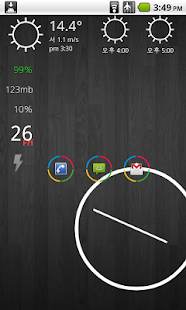
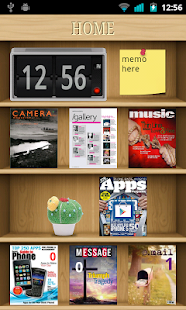
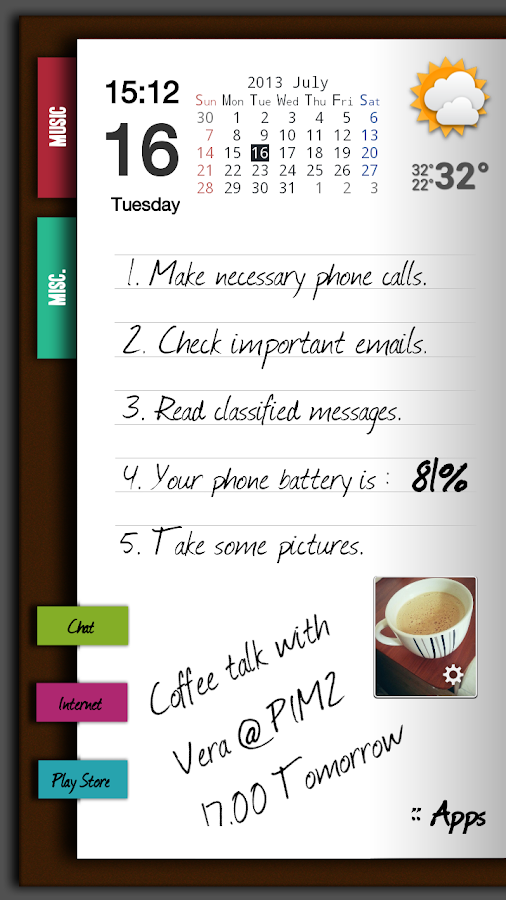
ssLauncher - screenshot thumbnail   ssLauncher - screenshot thumbnail


ssLauncher the Original is implementing all options of  ssLauncher (free version). in
addition, this includes a lot of options, a number of that are applied part to the free version.

Features:
- Set different background image
for each page
- Compose different layouts for the
screen orientation
- Scroll all pages vertically
- Decorate screen with a variety of
styles for shortcuts and widgets.
- Layout and resize all objects
(shortcuts and widgets) totally
freely
- Supports four direction gestures
for all shortcuts.
- Create a widget poping up by
tapping a shortcut.
- Supports dynamic text and image
for current date & time, missed
calls and unread SMS/MMS
messages and so on.
- Supports scrollable widgets.
- Easy and quick access to pages
for contacts, bookmarks, application
drawer, application group.
- Many useful features of
application drawer: app parcel
(folder), showing/hiding app,
marking star for favorites apps,
changing application icon and
name, uninstalling app and so on
- Create application group and
manage list by drag and drop.
- Save and load your theme, page
layouts and settings.
- Convert the saved theme file to
apk. (contact us by e-mail for more
informations)
- Hide status bar, open status bar
by swiping down.

Additional Options :
- copy & paste of shortcuts
- crop icons and images
- additional formatted text
- additional page transition
animations
- supportsapplication parcel
(folder) without limitation
- add user defined style for
shortcut
- and more…


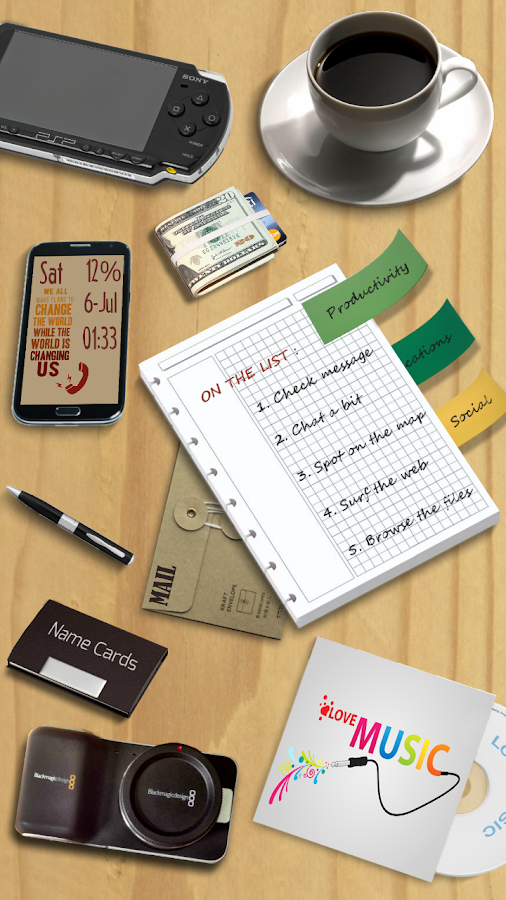
ssLauncher - screenshot   ssLauncher - screenshot


What's New :
v1.14.1
- resolved the conflict between
pinch-out gesture and shortcut
gesture
- improved approach to get signal
strength in Android 4.2.2 or higher
- fixed some bugs


#credits : Ds Chauhan

for  launcher  check  here : SS LAUNCHER

For  Themes check here :  SS THEMES


Android 6.0 Milkshake? 'Nexus 6' Concept Proposes Future OS Name


Well .... even though still android ain't done dealing vth android 5.0 [key lime pie os ] ....

nexus is ready to come up with android 6.0 version os !

lets c in detail ....what it is .... ?


Nexus 6

Enthusiasts move at lightening speed when it comes to developing the latest concepts and ideas for upcoming devices and software. Consider this: Android 5.0 Key Lime Pie has not yet been officially unveiled, yet there is already talk that the next generation of Google software could be called Android 6.0 Milkshake. 

A concept for a future Google/Motorola device recently surfaced, proposing design and specs for a device called the Nexus 6 (X Phone). Designer Intro envisions a device with a "X-envelope" design to give it an interesting shape. Dubbed the "most advanced android out there," this "Nexus 6" would feature a 4.6-inch flexible IPS OLED display, a 10-megapixel rear-facing camera, a 2-megapixel front-facing camera as well as NFC, GPS, HDMI and wireless charging.


One of the most interesting proposed specs for this phone would have to be it running Android 6.0 Milkshake, though the designer does not detail what features we would see on such an operating system. So for now, we will focus on the name concept for future Android systems.

Android is known for its delicious tradition of code naming its operating systems alphabetically after sweets. So far we have Cupcake (1.5), Donut (1.6), Eclair (2.0-2.1), Froyo (2.2-2.3), Gingerbread (2.3-2.3.7), Honeycomb (3.0-3.2), Ice Cream Sandwich (4.0-4.0.2) and Jelly Bean (4.1-4.2.2). 


The upcoming Android 5.0 has been dubbed "Key Lime Pie" by just about everyone, except Google. Though we expect to hear an official announcement from the tech giant at it's I/O conference in May. Before Key Lime Pie became largely accepted as the name for the next Android OS, many considered that Google had hinted at it being called Kandy Kane, when random candy canes were discovered floating among the jelly beans in the Easter egg on Android 4.1. Fans proposed Google would spell the name with Ks instead Cs to keep it in sequence, but the idea of a dessert that actually begins with the letter K soon overtook that idea. It is unknown from where the name Key Lime Pie originated, but at this point it just seems logical.
But future generations are still up for consideration. Let's examine the glaring hole in the Milkshake concept: it jumps directly over a letter in the sequence, L. If Google keeps in step with with its alphabetical dessert theme, it is more likely that a dessert beginning with the letter L will be selected for the system after Key Lime Pie than one beginning with the letter M. 

Tech website iTech Post proposes that idea of an M name being next comes from some fans counting the K and L in Key Lime Pie as part of this chronological sequence. Most consider that loophole is unlikely and have proposed "Lollipop" and "Licorice" as names for the OS after the next OS. We'd also like throw "Lemon Drop" into the running, though that might not fly directly after Key Lime Pie.

While Android code names have been fairly easy to predict, the version number sequence for its systems have not been as straight forward. Note that we have seen more than eight Android systems so far, but we're only up to 4 in the number sequence. Most accepted Android 5.0 as the version number for the upcoming OS after a benchmark for a Sony device running Android 5.0 surfaced in November 2012. However, Android Police's Ron Amadeo reminds us that this is where Google loves to throw curveballs in its naming strategy.

Jelly Bean was also proposed as Android 5.0 during its pre-release in 2012, which seemed logical after Android 4.0, but it was ultimately announced as Android 4.1. Ice Cream Sandwich was proposed as either Android 2.4 after the smartphone designated Gingerbread or Android 3.4 after the tablet designated Honeycomb, but it was announced as Android 4.0 and was able to power both smartphones and tablets. 

Even Honeycomb was proposed as Android 2.4, but was announced as Android 3.0. While Gingerbread was proposed as Android 3.0 but was announced as Android 2.3. Taking this into consideration, we actually have no idea what upcoming and future Android systems will be named. 


Key Lime Pie could easily be Android 4.3, but no matter what it is called, we imagine there will likely be many updates and new systems between now and Android 6.0. It may even have a chance to line up with "Milkshake" after all. That, however, is something we likely won't be able to confirm until 2015 at the earliest.

[APP][2.3+] Samsung Galaxy Note Pro Launcher - Note Pro Home (Beta)

Hey guys, Once Again welcome back .....

this awesome piece of work is done by a frnd named #HarshitShetty

#thanx to him ....4 his new creation !

This is a new launcher named "Note Pro Home"made by HarshitShetty, based on the mammoth 12.2" tablet Samsung Galaxy Note Pro. This is an attempt to get the feel of that device on every device. (Themed like Note Pro with Galaxy Note III - styled Home screen)

Note: This app is a highly modded version of Coeee Launcher.

Screenshots:


Devices on which the app has been tested on:
- Samsung Galaxy S4
- Motorola Moto G
- HTC Explorer
- Samsung Galaxy Grand
- Samsung Galaxy Core

The launcher works on -
- GingerBread
- Ice Cream Sandwich
- Jelly Bean
- KitKat
.
Features:
- Galaxy Note Pro Icons
- 7 Desktop Transitions
- 10 App Drawer Transitions
- Backup and Restore settings option
- Samsung like screen previews on Pinch - in
- 7 Wallpapers

Instructions:
- Download app.
- Install as normal APK
- For using drag-to-add-widgets from app drawer, Install the app as a system app by copying it into system/app folder and giving it permissions r-w-r-r and rebooting.

Credits:
- Me
- Coeee Launcher
- Note Pro system dump

 Respect his work.... so plz download from ...HERE


{ Icon } ICS themed Pack For All Android Roms

Hello frnzz ....!

I  Present  U a Very Lovely Icon Pack For All Android Booted ROMS
Pack is created By My Frnd 
NEW RONALDO

Its really An Awesome luck and design { snap available }
U will realy love this ;) 

How to install

Download ICS icon pack HERE

make sure u keep  a backup of old os ...first and then follow the bellow process !

Now switch off ur phone
And go to recovery mode by pressing 3 buttons
{ vol up +home+power }

Now apply update from sd card and choose cwm.zip file

NOw CWM recovery will open
Go to mount and storage and
Mount Data,system,and cache
Go BACK
nOw go to 
Install zip from SD card 
-choose zip from sd card-
And select 
Ics by N-Ronaldo.zip
After done
it will auto reboot ur phone

Njoy The Whole New Look Of Your Phone :-)


plz join here .... Android Modification Galaxy Y & Galaxy Y Duos [Helpful 4 newbies]


#thanx...keep'on visiting !


Moto X intoduce touchless control to the smartphone


When Motorola launched the Moto X (and the new Droid line of devices for Verizon) they introduced touchless control to the smartphone. Sure, we’ve had voice control around for a long time now, but this was different, Moto’s touchless control app allows you to quite literally talk to your phone without laying a finger on it. Even now it’s pretty impressive stuff, and I often glare at my Nexus 5 for lack of such a feature. Recently, the tocuhless control app got an update in the Play Store that brings a pretty cool new feature to select Motorola Android phones. Now, you can ask your phone “what’s up?”
You might be wondering why on Earth you would want to ask your phone such a thing. With the new update, asking your Moto X or 2013 Droid what’s up will get your notifications read out aloud. Which is perfect for those times you’re in the car and you have a time-sensitive message you need to hear. Thanks to the fact that touchless control also allows you to dictate a message in return, so you can keep up-to-date when you’re on the move. This new feature is available in U.S. English, Spanish and Italian languages, although there are more included, albeit in beta form.
That’s not the only new change with this update, though as there are fixes for end of speech detection. Something that Motorola has said will prevent the phone hanging on long pauses waiting for further speech, which in turn should speed up all of your commands. Right now, the latest version is in the Play Store for download, but of course you’ll have to a device that’;s already compatible to get a hold of the new feature. The Moto X may have been on shelves for some time now, but its software keeps getting better and better with improvements such as this and near-stock Android 4.4 KitKat and at $400 unlocked from Amazon or just a penny on contract with Verizon now isn’t a bad time to get one. Of course, with the Galaxy S5 and a new HTC One on the horizon, it’s awfully tempting to wait. If you’ve got a compatible device, let us know how this new feature is working out for you!

Leaks About HTC Desire 610


The All New One isn’t the only phone we have to look forward to from HTC this year. Although we still have a few weeks to go before they announce their actual flagship device, they already announced two HTC Desire products last week at the beginning of mobile world congress. The HTC Desire 610 and the HTC Desire 816. Both these devices take bits and pieces from the design of the HTC One, with the front facing speakers and the front camera in the same spot on the 610. The Desire 610 is the smaller version of the two, making the Desire 816 the bigger brother with a longer body. The Desire 816 isn’t only a bigger phone, but it supposedly has more power as well. The Desire 610 sports a quad-core 1.2GHz processor while the Desire 816 sports a quad-core 1.67GHz processor. So there’s not much of a change in the clock speed, but that extra boost should make a little bit of difference.
We haven’t heard much in the way of official times and prices for the two new Desire phones, so that’s where the rumors and leaks come in. According to evleaks, who is known for leaking tons of information about mobile devices and tablets, the Desire 610 is making its way over to At&t shelves. Evleaks doesn’t state when exactly At&t will be picking up the Desire 610, just that it’s happening. From what we’ve heard about both Desire phones so far, they are both scheduled to get their launch in Europe around May, so we can probably expect the Desire 610 to head to At&t around that time as well if they actually are getting the phone. At&t is also rumored to be launching that Desire 816, which means they would end up selling the first three new Android smartphones to come from HTC this year.
If At&t ends up selling the Desire 610, the Desire 816, and the flagship, the All New One then perhaps we could see other carriers pick up all three devices as well. While there is no exact pricing on the Desire 610 thus far, it should end up being a decently priced device. May isn’t too far off, so we’ll most certainly here more about the release sometime leading up that time.

Nvidia’s Tegra K1 64-Bit CPU Benchmark Stats Leak


The world of 64-bit CPUs is still relatively new, and other than the iPhone 5s there aren’t any mobile device manufacturers that have implemented it into their hardware. We’re certainly moving towards seeing smartphones and tablets that will house processors that run on the 64-bit architecture, but were not quite there yet. Qualcomm, Samsung, and others are in the process of building and developing those types of chips, but Nvidia, the longtime chip and GPU manufacturer most notably associated with gaming performance, is well on their way to developing their 64-bit CPU, the Tegra k1 chip with Dual-Core Denver. As seen at the demo where Nvidia unveiled the new CPU, we got to experience some of the power that Nvidia was packing behind this new processor, and it’s awesome to say the least. As of today though, we actually get to see just how well that chip performs in the benchmarks, as some results have recently leaked and popped up on the AnTuTu website.

nvidia-tegra-k1-64-bit-dual-core-2

The first image shows an unnamed device that is simply referred to as Generic T132f, but more importantly we see details that show a device running on Android 4.4.2 kit kat, that also houses a 2MP front facing camera and a 13MP rear shooter, along with 2GB of RAM and 32GB of storage. There’s no telling what this particular device could be, but the specs certainly sound amazing. Moving on to the last image of three, we get a look at how well the Tegra K1 64-bit CPU made by Nividia stacks up against other processors, and this is where things get interesting for those who are intrigued by devices with power and performance. Both the 1st and 2nd CPUs on the benchmark image are from Nvidia, and are the Tegra K1 4 core processor, and the Tegra K1 2 core processor. The 4 core chip comes in ranked on the benchmark with a score of 43,851, and the 2 core Tegra K1 comes in with a score of 43,617, so it’s not too far behind the 4 core CPU. The closest processor to those two is the Qualcomm Snapdragon 805 with a score 37,780, which is quite a bit of difference in comparison. The 64-bit denver CPU also got tested up against the Tegra Note tablet, as well as the 32-bit Tegra K1 chip that we saw demoed off at CES. With no surprise, the 64-bit denver CPU surpassed on almost all accounts as you can see from the image. Some other interesting notes are the fact that 64-bit denver chip is expected to be clocked at 3GHz as opposed to the initial 2.5GHz that it was thought to end up at before hand. The 64-bit denver chip also seems to have a very high score in the test on RAM. So that means games that require high performance and multitasking should be a cinch with this CPU.


Auto Scroll Stop Scroll